✨ Blink and it's gone · 50% off · Last hours · ✨ Blink and it's gone · 50% off · Last hours · ✨ Blink and it's gone · 50% off · Last hours · ✨ Blink and it's gone · 50% off · Last hours · ✨ Blink and it's gone · 50% off · Last hours · ✨ Blink and it's gone · 50% off · Last hours · ✨ Blink and it's gone · 50% off · Last hours · ✨ Blink and it's gone · 50% off · Last hours ·

Create Your Own Custom Trivia Board Game (Trivial-Style)

Design your own trivia board, question cards and wedges, fully customizable.

Whether you want to build a trivia night for your friend group, turn a trip into a game, or make the ultimate "how well do you know me" gift for someone you love — this template gives you everything you need to design a fully custom trivia board game from scratch. Or skip the customizing altogether: it's ready to print and play tonight, questions included.

Everyone’s played some version of this game — roll, land on a category, answer a question, collect a wedge. It’s one of the most remixed formats in board gaming for a reason: swap the categories and the questions, and you’ve got a completely different game. A generic trivia night deck. A “things only our friend group would know” edition. A trivia box built entirely around your last group trip. Same mechanic, endless versions.

First things first… How do you edit this template?

Step 1
Download the template
Step 3
Open Tabletop Creator on your computer.
Step 4
Launch the .tcp file included inside the template folder.
Step 5
Start customizing the template

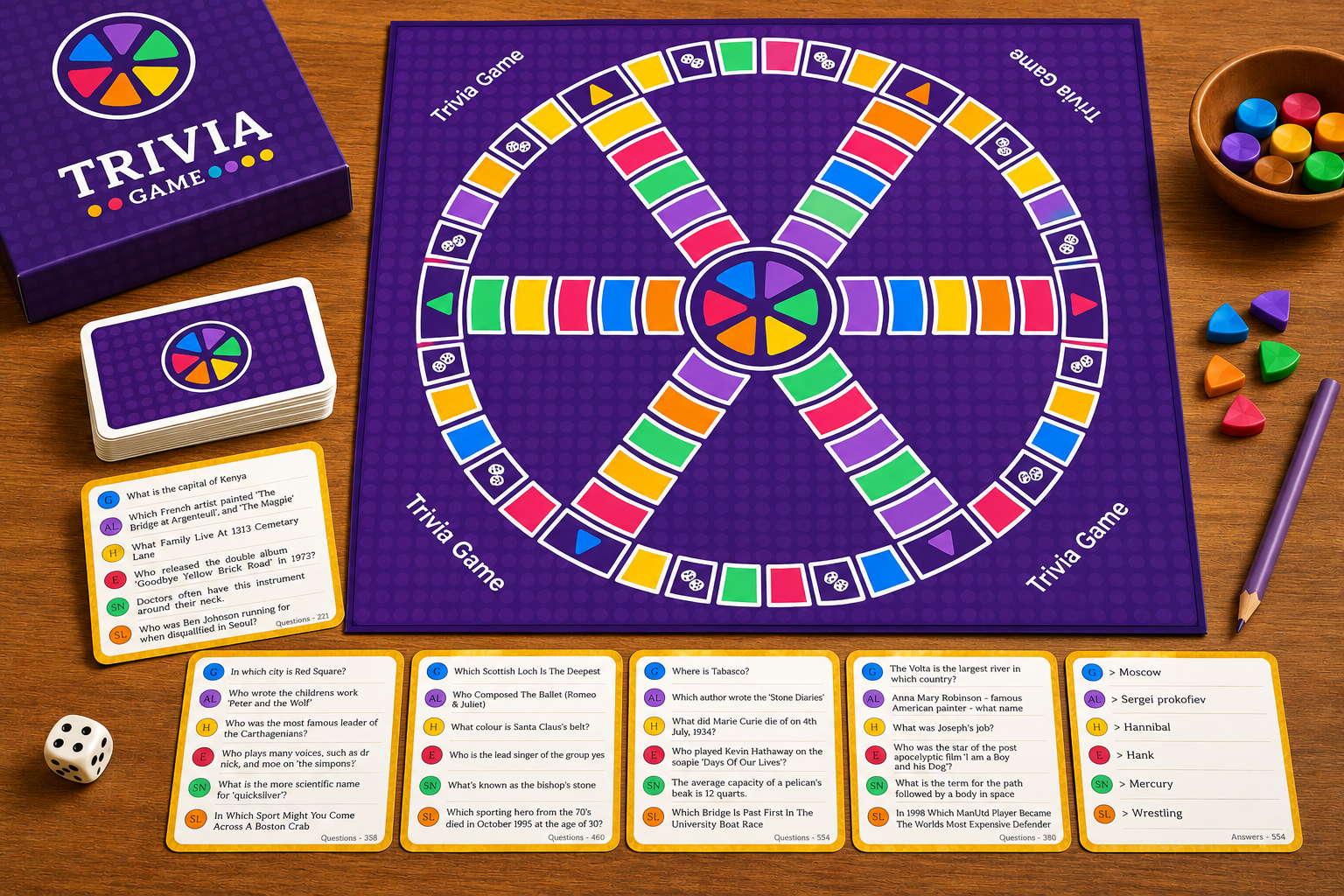
What's Included in This Trivia Game Template

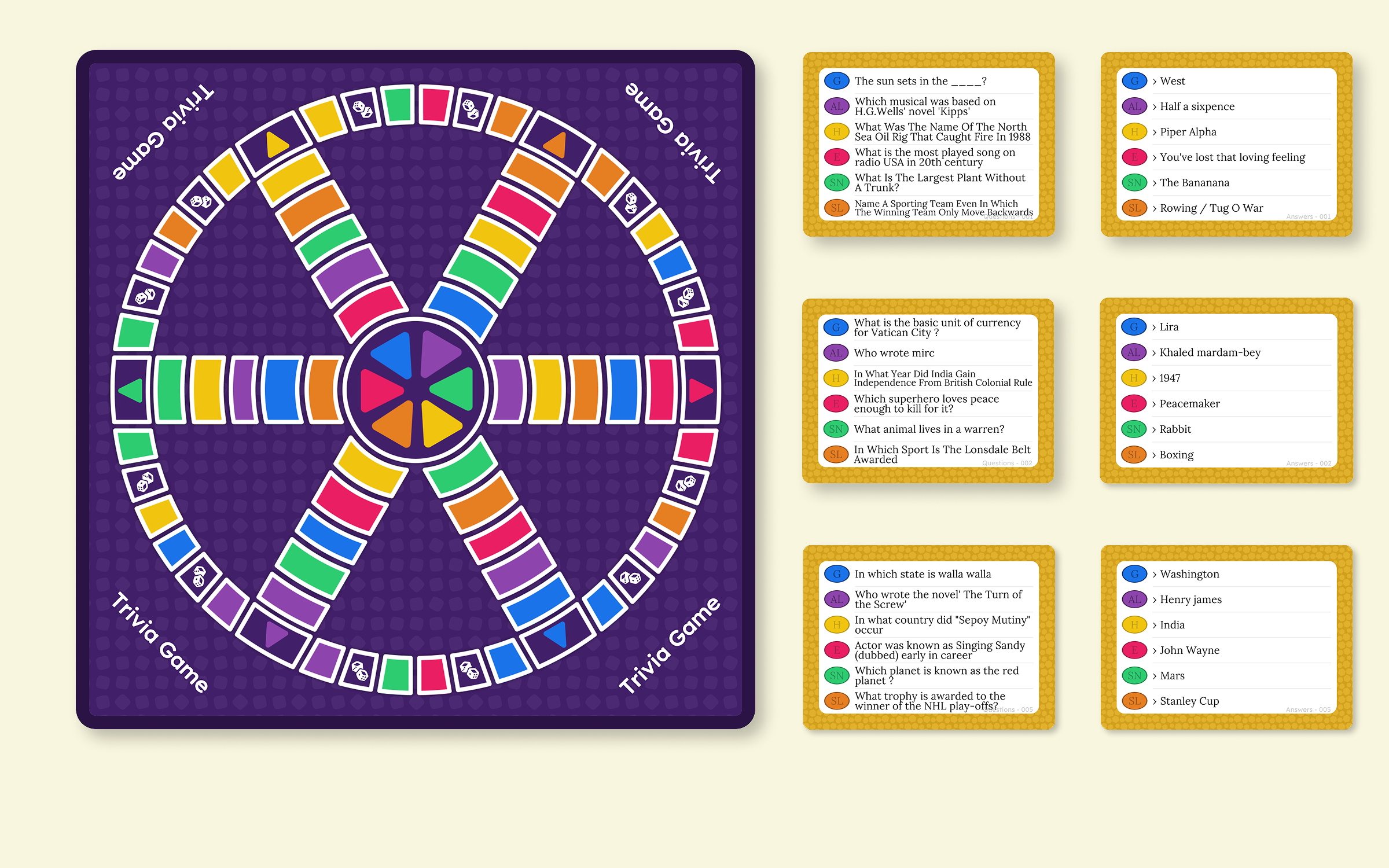
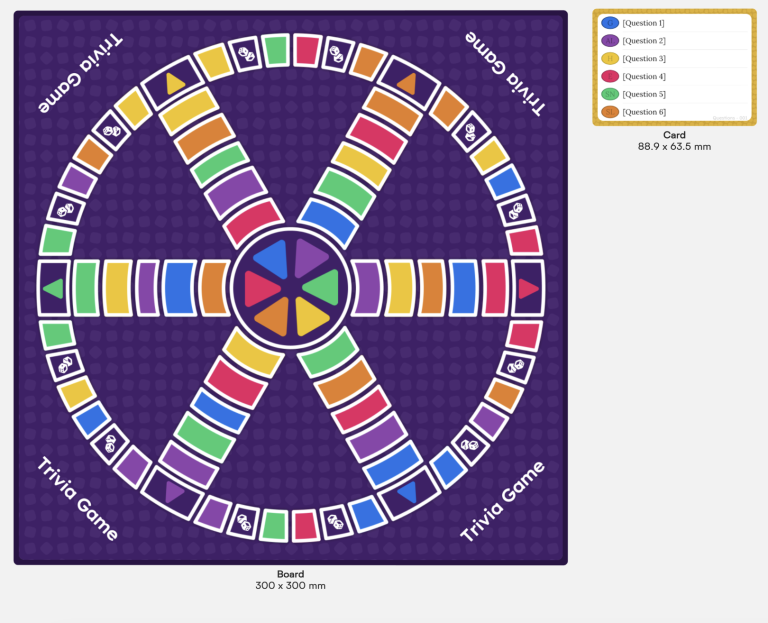
  • A full 300 × 300 mm trivia board with all 6 category wedges, decorative dice art and corner details
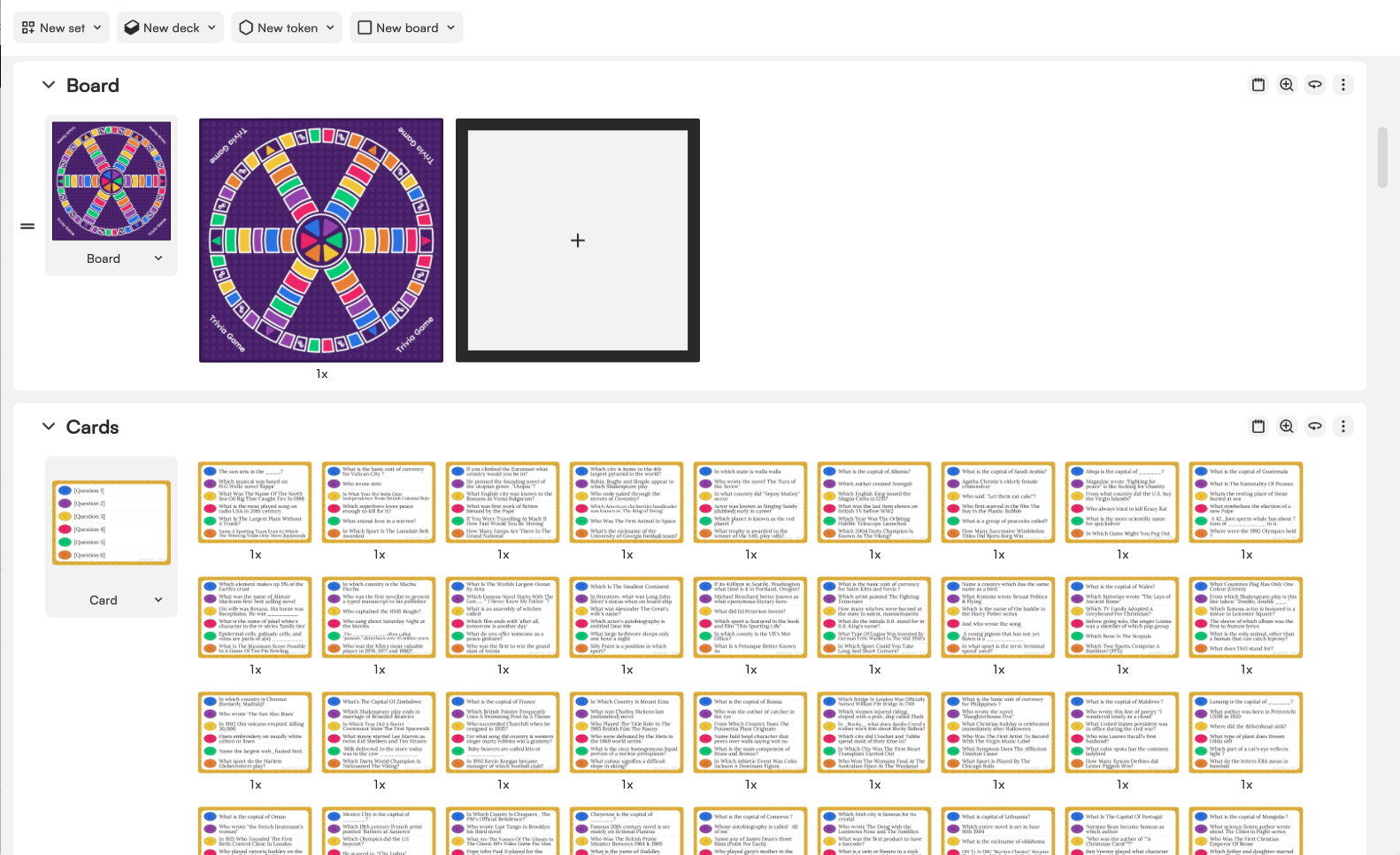
  • 800 double-sided question cards, poker-sized (88.9 × 63.5 mm) — 4,800 real, ready-to-play trivia questions across all 6 categories, already written in
  • Six classic trivia categories, color-coded and initialed on every card: Geography, Entertainment, History, Art & Literature, Science & Nature, and Sports & Leisure
  • Fully editable card backs with matching category colors

*Requires a Pro license — the answers live on the back of each card, which puts this template past what’s available on the Free plan.

This Template is Genuinely Print-and-Play

The questions here aren’t placeholder text — they’re 4,800 real trivia questions, written in and ready to go. Print the deck as-is and you’ve got a full game tonight, no extra writing required. Or swap in your own questions category by category and make it entirely yours.

Make the Pieces Your Own

This template ships with the board and the full question deck — the part that actually takes the work. Player pawns and scoring pieces are intentionally left for you to design: a chance to put your own characters, mascots or in-jokes on the board instead of generic pawns, all in 2D so they print flat with everything else.

And if you want to go further: who says scoring has to be six wedge-shaped pieces slotted into a pawn? Design your own scoring system entirely — cards, tokens, a punch-card, a little booklet you stamp — anything that tracks six categories works. The wedge is a convention, not a rule.

How to start editing the Trivia Board template

Getting this template ready for your next game night is straightforward. You only need two things:

  • The Tabletop Creator app (download it here)
  • The Trivia Board template from the download buttons on this page

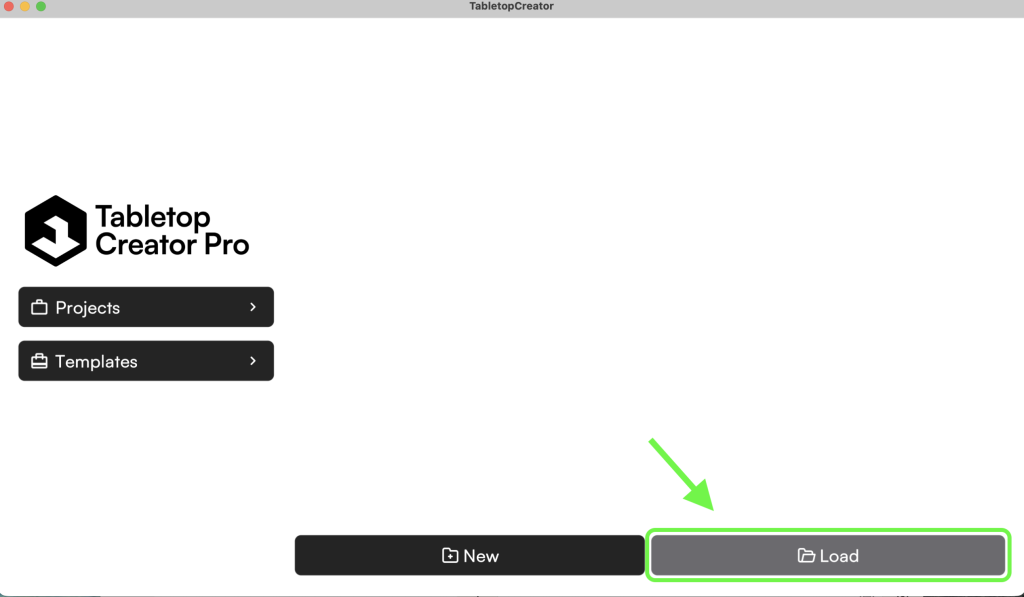
Once you have the template, unzip the file, open Tabletop Creator, head to Projects, and click Load. Select the folder you unzipped and open the .tcp file inside.

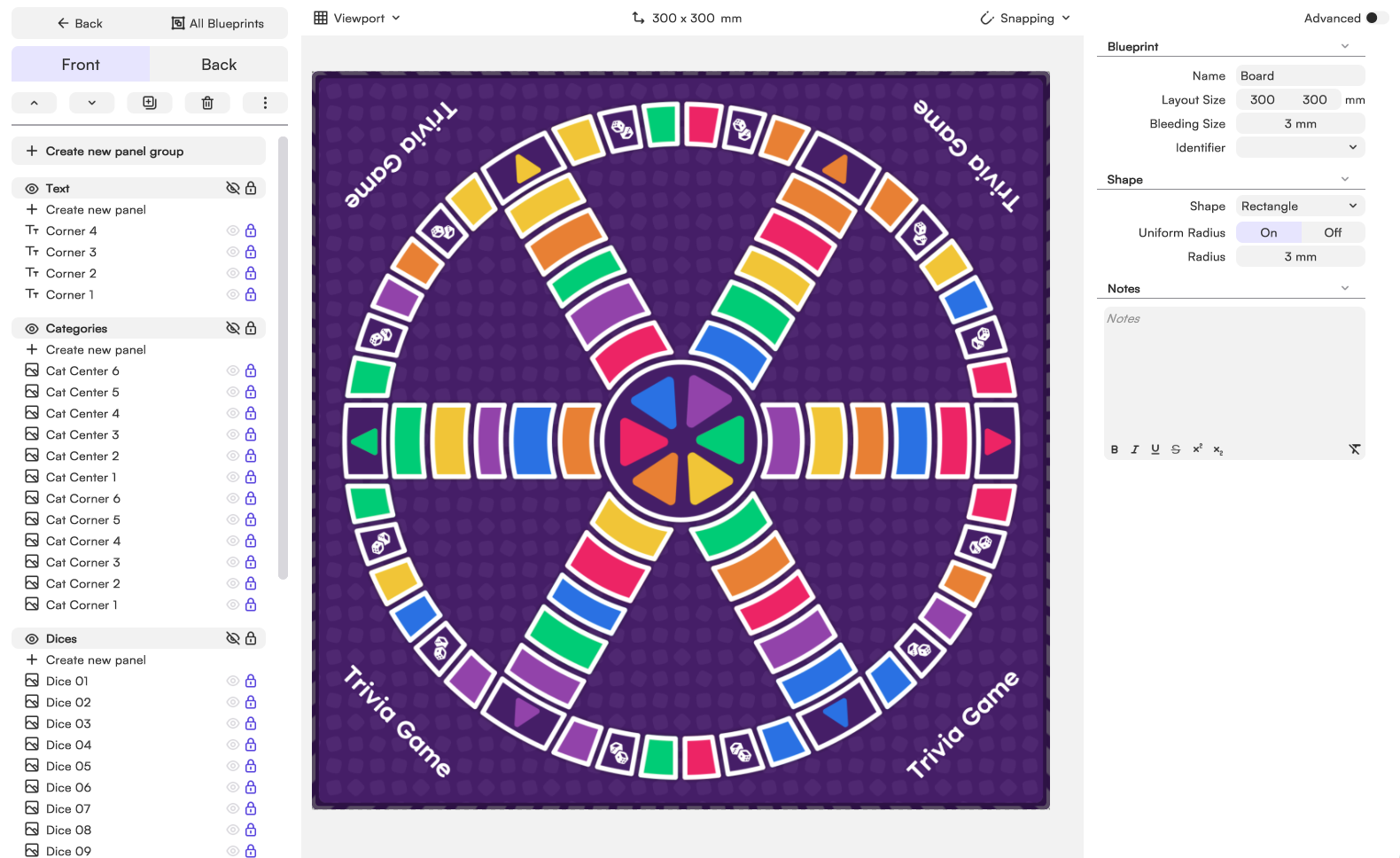
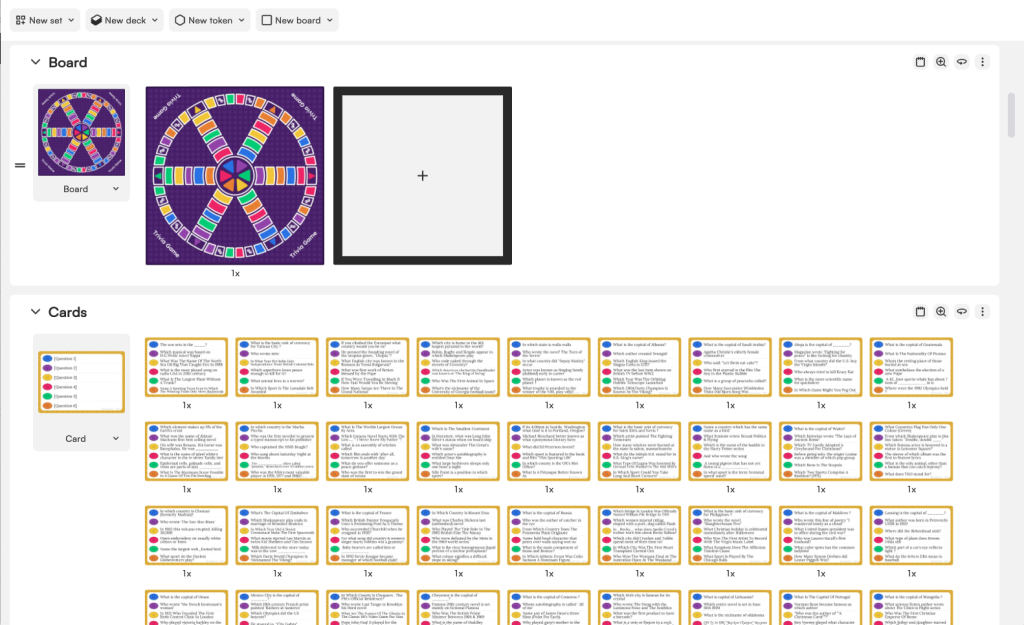
The project opens with two blueprints ready to edit: the Board (the 300 × 300 mm game board) and the Card (the 800 double-sided question cards). Everything’s already built and populated — you’re editing a finished game, not starting from a blank layout.

How the Trivia Board template works

The Trivial-Inspired Board

The board is built from vector artwork, designed specifically so every color can be re-tinted from inside Tabletop Creator without needing to touch the artwork itself. Five panel groups make it up: corner text panels that show the project’s name dynamically, the Categories group (the triangular wedge panels, each tintable to its category color), the Board group (the panels that make up the actual spaces on the board — including the dice-icon spaces, which mark where a player has to roll again), and a background built from just three panels — color, border and repeating pattern — each customizable through its own properties.

The Trivia Cards

The card template is simpler: the front holds the text panels for the six questions, the back holds the text panels for the six matching answers. Each question is color-coded to match its category’s color on the board. Change the panel layout once, and every one of the 800 cards updates automatically — you’re never editing card by card.

The 4,800 questions themselves come from a free, CC0-licensed trivia database, filtered and reformatted into a spreadsheet before being imported into the project — the same import workflow described below that you can use for your own questions.

Changing the categories and wedge colors

Want to rename a category or give it a different color? Open any question card and locate that category’s color panel and initial text — both front and back use the same linked elements, so editing one side updates the other automatically. The board’s matching wedge and category markers are linked the same way, so a color change on a card carries through to the board without having to update each piece by hand.

The Classic Structure of a Trivia Board Game

The format goes back to December 1979, when two Canadian journalists, Chris Haney and Scott Abbott, sketched it out over a game of Scrabble gone missing a few pieces. Trivial Pursuit hit shelves in 1982, and the format that made it a household name is almost absurdly simple: a wheel-shaped board, six category wedges, and players racing to collect one wedge per category before answering a final question.

The six classic categories — Geography, Entertainment, History, Art & Literature, Science & Nature, and Sports & Leisure — became so recognizable that their colors (blue, pink, yellow, brown, green, orange) are practically shorthand on their own. Every edition since, official or homemade, has leaned on the same skeleton: a board divided into wedges, a deck of question cards sorted by category, and a “center of the wheel” final challenge.

That skeleton is exactly what makes the format so easy to remix. Change six categories, change the entire game — which is exactly the point of building your own.

Design Your Own Trivia Game Without the Headache

This template’s own deck makes the point better than we could: 800 cards, 6 categories each, 4,800 questions — nobody typed those in one by one. Trivia is probably the single game type that benefits the most from importing your data from a spreadsheet: fill in questions and answers by category in a CSV, map the columns once, and Tabletop Creator generates every card for you, correctly categorized and color-coded.

Writing and organizing question cards by category, color-coding a board, keeping card backs and wedge icons consistent — doing that by hand gets messy fast at any real scale. Build the card and board structure once, bulk-generate the rest from your spreadsheet, and swap artwork or generate it with the built-in AI tool without redoing the layout from scratch.

Keep Every Component Consistent Across the Full Game

With Tabletop Creator you build reusable blueprints for the board and for each card type — questions, answers, category dividers — and keep colors, fonts and icons consistent across all of them while still customizing each one individually. Update a category’s color once, and every wedge and card in that category updates with it. Import your questions from a spreadsheet to organize them by category and difficulty automatically.

Custom Trivia Game Ideas: What Are People Actually Making?

Swapping the six categories for something personal is the whole appeal here, and once people start, the ideas get specific fast.

Friend group trivia

Friend group trivia is the easiest starting point: categories built entirely around inside jokes, shared history, and “remember when” moments only your group would get right. It turns a normal game night into something no store-bought edition could ever replace.

Trip Trivia

Trip trivia takes a shared vacation and turns it into a game — categories like “things that happened on the trip,” “who said what,” “food we ate,” or “photos nobody remembers taking.” It’s one of the best ways to relive a trip together months later.

Love and relationship trivia

The “how well do you know me” edition — makes a genuinely personal gift: categories about your partner’s favorites, your history together, inside references only the two of you share. It shows up a lot as anniversary or Valentine’s gifts for exactly that reason.

Family trivia

Family trivia turns family history into something the next generation actually wants to play. Categories built around grandma’s stories, what your childhood was really like, or the things only grandparents would know: a way to keep those memories alive and actually pass them down, not just talk about them once at a reunion. A genuinely meaningful gift for holidays, reunions, or just an ordinary night together.

Team or work trivia

Team or work trivia is the perfect game for an offsite: categories built around company history, team inside jokes, or client wins that turn a generic team-building slot into something people actually remember. Way more fun than another icebreaker.

Trivia Board Size, Specs and Print-Ready Export

This template’s board prints at 300 × 300 mm, with question cards at standard poker size (2.5 × 3.5 in / 63 × 88 mm) so they’re easy to shuffle and deal.

Tabletop Creator works at any size you need, standard or not. You pick the dimensions, design within them, and export files ready to send straight to any printer.

Export print-ready files in a few clicks

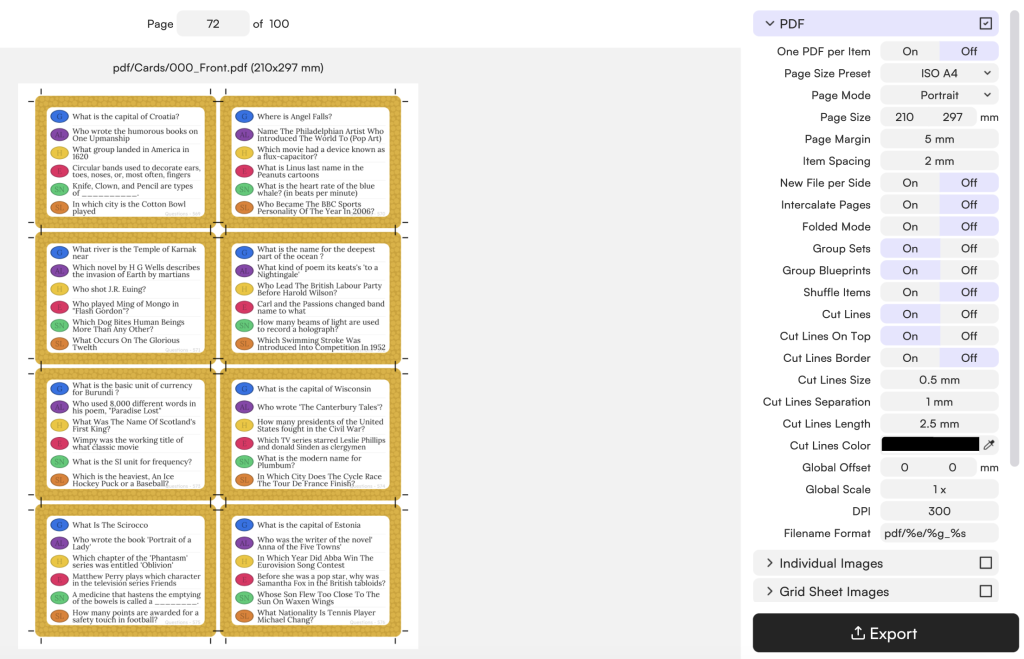
The export settings let you configure bleed (typically 3 mm per side), cut marks, resolution (300 DPI) and color layout for board, cards, front, back or both. You get a clean, professional file ready for any print shop — no extra design software, no back-and-forth fixing files.

Download now Tabletop Creator

Create your own board game, make your dreams come true, and ruin your friends’ patience. With Tabletop Creator you’ll have the essential tools to do it easily.

Get your free template

Drop your email and it’s yours. Instantly.

Get your free template

Drop your email and it’s yours. Instantly.

Get your free template

Drop your email and it’s yours. Instantly.

Get your free template

Drop your email and it’s yours. Instantly.

Get your free template

Drop your email and it’s yours. Instantly.

Get your free template

Drop your email and it’s yours. Instantly.

Get your free template

Drop your email and it’s yours. Instantly.

Download it to your favorite device

Any doubts?

Gepeto is here to help you