
✨ New Features
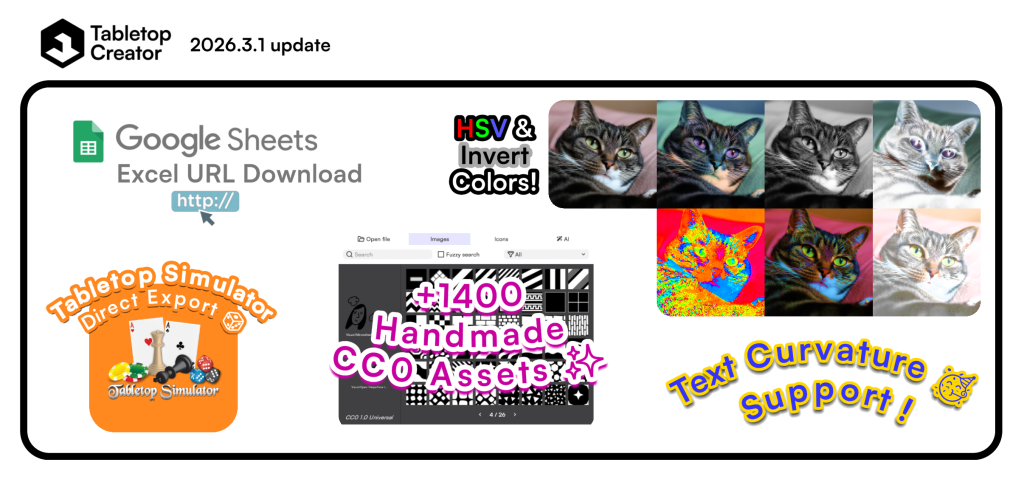
- Add direct export (or update/sync) to Tabletop Simulator’s Saved Objects (including metadata using blueprint identifiers).
- Add support to import Google Drive sheets urls (either anyone-with-the-link shared sheets or web published sheets).
- Add more than +1400 human-crafted CC0 content to the built-in assets (fonts, images and icons).
- Add new advanced text curvature property to text panels.
- Add new advanced invert image colors property to image panels.
- Add new advanced HSV shift properties to image panels.
- Add new advanced mask value shift property to image panels.
- Add a new PDF export setting property to shuffle the items randomly when exporting.
🔨 Changes
- Swap layer/panel list and property panels in the item editor and the blueprint editor.
- Allow generate multiple PDFs by separating each output using the PDF filename format.
- Main menu button is now a dropdown with a tooltip reminding of the screen-switching shortcuts, and it will not open the menu automatically on mouse hover.
- Close project button has been moved to the right side of the menubar.
- Split templates (previously know as sample projects) into a new section in the start screen and add buttons to open the templates folder, refresh the templates list and go to the templates website.
- Template projects now ask to pick an empty folder first to duplicate them so you can edit and save its changes.
- Move new and load project buttons into the projects side section like the template’s section buttons.
- When navigating to the Blueprints screen, the app now restores the editor or manager based on the previous state.
🔧 Improvements
- Hide automatically the new panel top navbar when mouse is not over the viewport in the blueprint editor screen.
- Improve item sort logic by detecting number values and sorting numerically instead of alphanumerically.
- Show arrows in grid sheet images grid size export property.
- Recent project list and templates list are now distributed in two columns automatically.
- Increase default recent projects list count to 32 projects.
- Force a project backup just before changing a default localization code.
- Update web version initial launcher updater scene theme and colors.
- Add new Tab shortcut to open the image picker widget in image panels.
- Add new Ctrl+Tab shortcut to open the image picker widget for image masks in image panels.
- Resolve variables in AI generation prompts in the AI generation tab of the image picker widget.
- Add new Tab and Space shortcuts to confirm the selected image/icon in the image picker widget.
- Replace some input titles by placeholders in the AI generation tab of the image picker widget.
- Show better info in the exported used color profile in summary.txt including the rendering intent if not using sRGB.
- (Web Launcher) Allow switching the internal graphics backend on Windows to Direct3D 11, Direct3D 12, Vulkan and OpenGLES3 using command-line parameters (default is OpenGLCore).
- (Web Launcher) Pass through all launcher arguments to the application (including the force internal graphics backend special parameters).
🐛 Bugfixes
- Fix custom outline tags breaking when text-embedded icons or other advanced rich text tags are present.
- Fix history (undo/redo) not working after opening the image picker widget.
- Fix last icon being the same as the first icon in the next page in the image picker widget.
- Fix last page missing in some cases in the image picker widget.
- Fix visible dummy icon when no images or icons are present in the page in the image picker widget.
- Fix downscaled textures (big textures and thumbnails) with wrong alpha blending when having alpha gradients.
- Fix text shadow character vertex sorting wrong.
- Fix PDF export when sides is set to only backs.
- Fix notes button in the collection item editor not updating reflecting if the note is empty or not.
- Fix history undo going back to the start screen after creating a new project.
- Fix menubar menu button shortcuts tooltip not switching to Cmd key instead of Ctrl in MacOS builds.