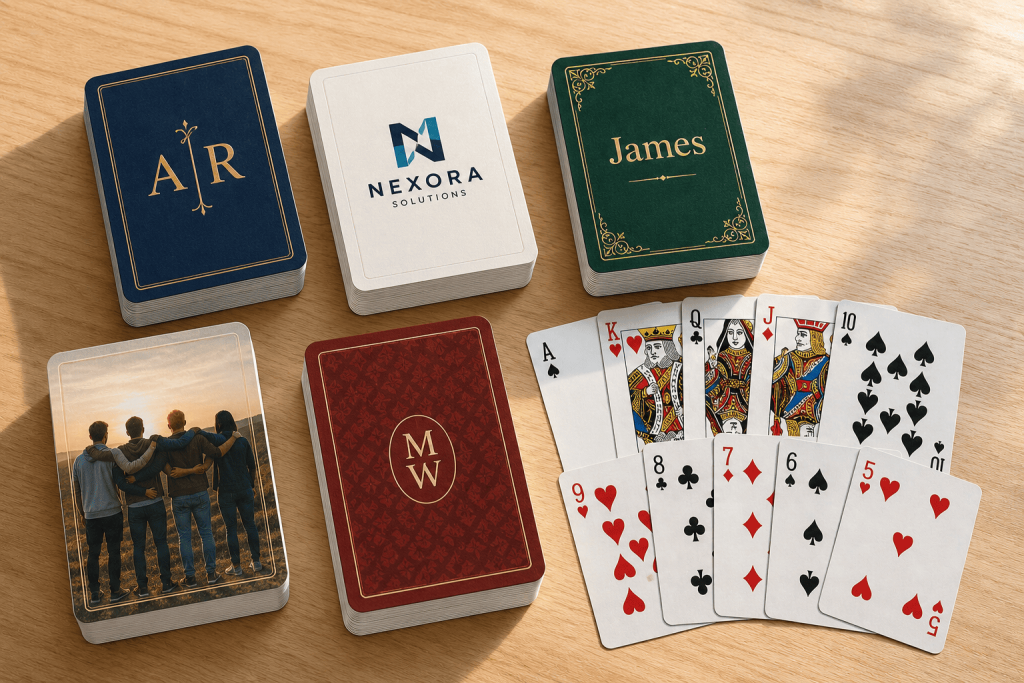
Who hasn’t dreamed at some point of having their own custom deck? Whether it’s putting your friends on the aces, reinventing the classic French playing cards, creating a themed party deck or simply showcasing your own artwork on the card backs — this template makes the whole process fast, easy and surprisingly fun.
Getting this Poker Deck template ready for your next game is easier than winning a round with a lucky draw.
You only need two things:
Once you have the template, make sure to unzip the file.
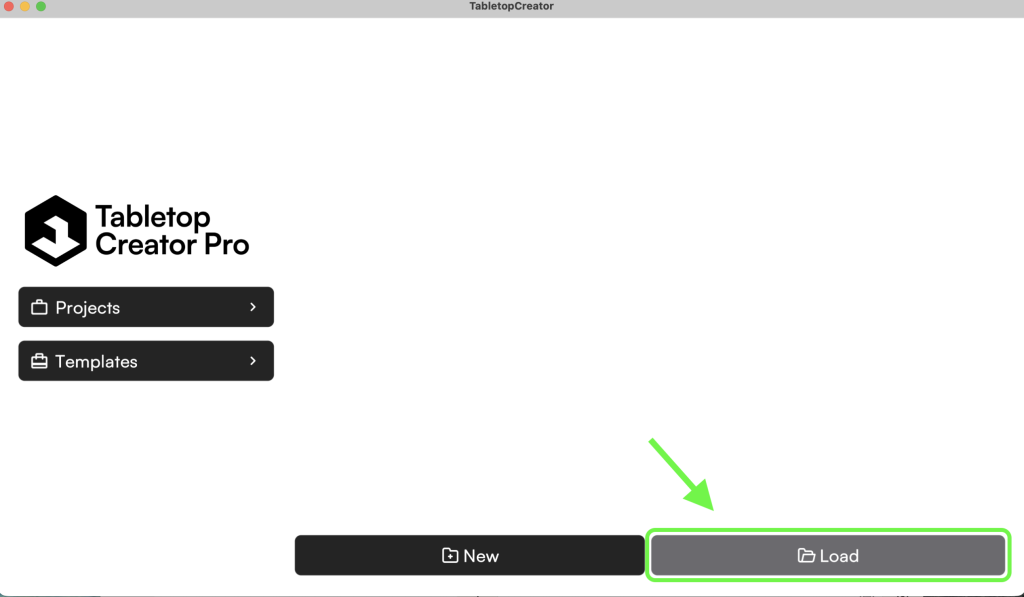
Then open Tabletop Creator and head over to Projects. Hover your cursor there and two options will appear: “New” and “Load”. Since we’re not starting from an empty table here, click on Load.
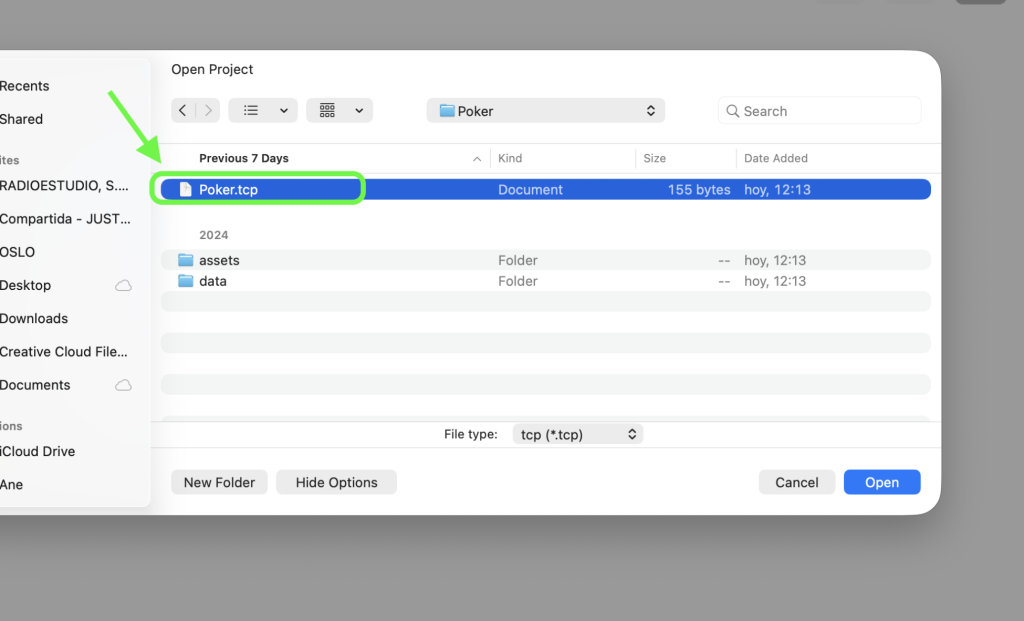
Now select the folder you unzipped earlier and open the .tcp file inside.
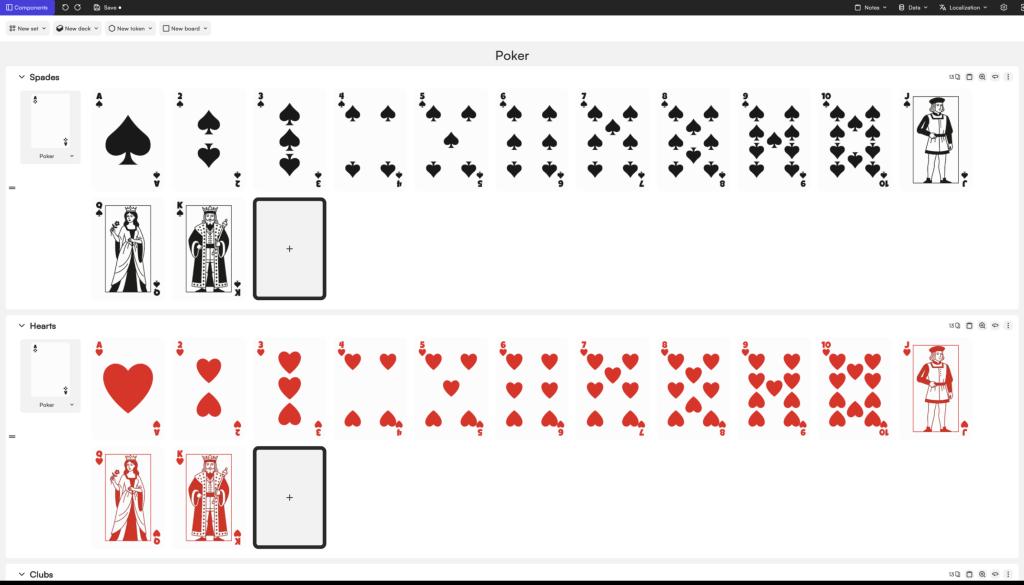
And… ta-dan! 🃏 your Poker Deck is ready to edit: diamonds, hearts, numbers, face cards… the whole crew. Time to swap things around, add your own style, and turn this deck into something uniquely yours.
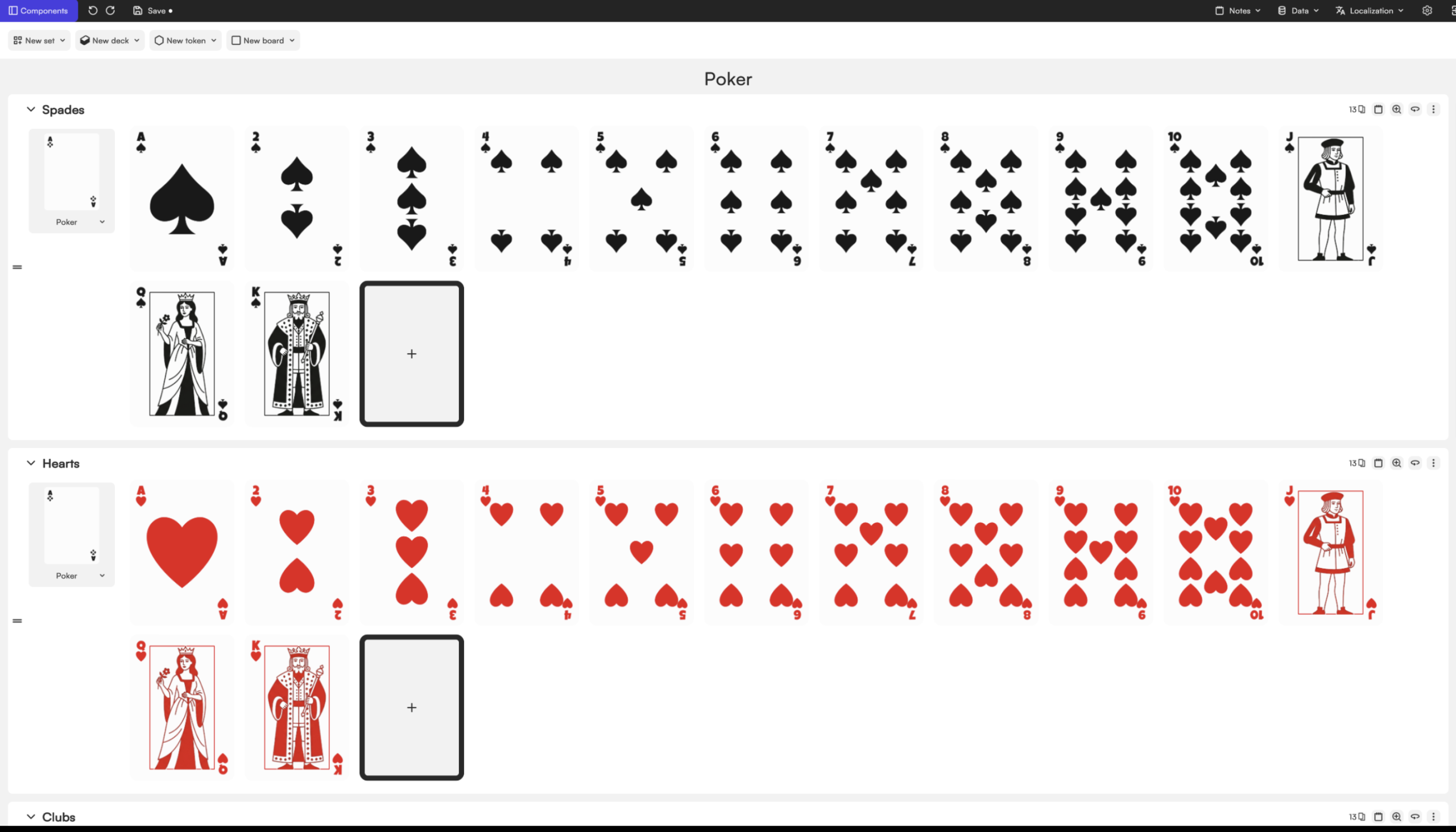
Once you open the template, you’ll see the complete deck already built and ready to edit, very similar to a traditional Poker deck. To make customization easier, we built the template in a specific way.
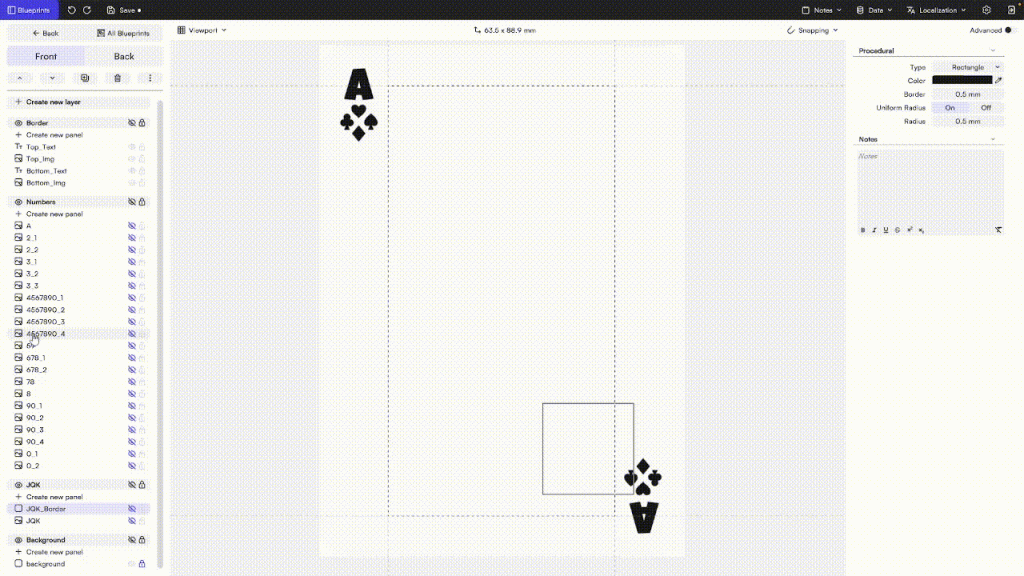
Instead of creating a different layout for every card, the template contains all possible suit positions. We simply use the visibility toggle (the eye icon) to show the symbols we need and hide the ones we don’t. This means every card can be generated from the same blueprint while still displaying the correct arrangement for its value.
For example, a Five card only shows the five suit positions required for that value, while the remaining positions stay hidden.
This approach keeps the deck easy to edit and ensures every card remains perfectly consistent.
Want to replace the classic hearts, diamonds, clubs, and spades with your own icons?
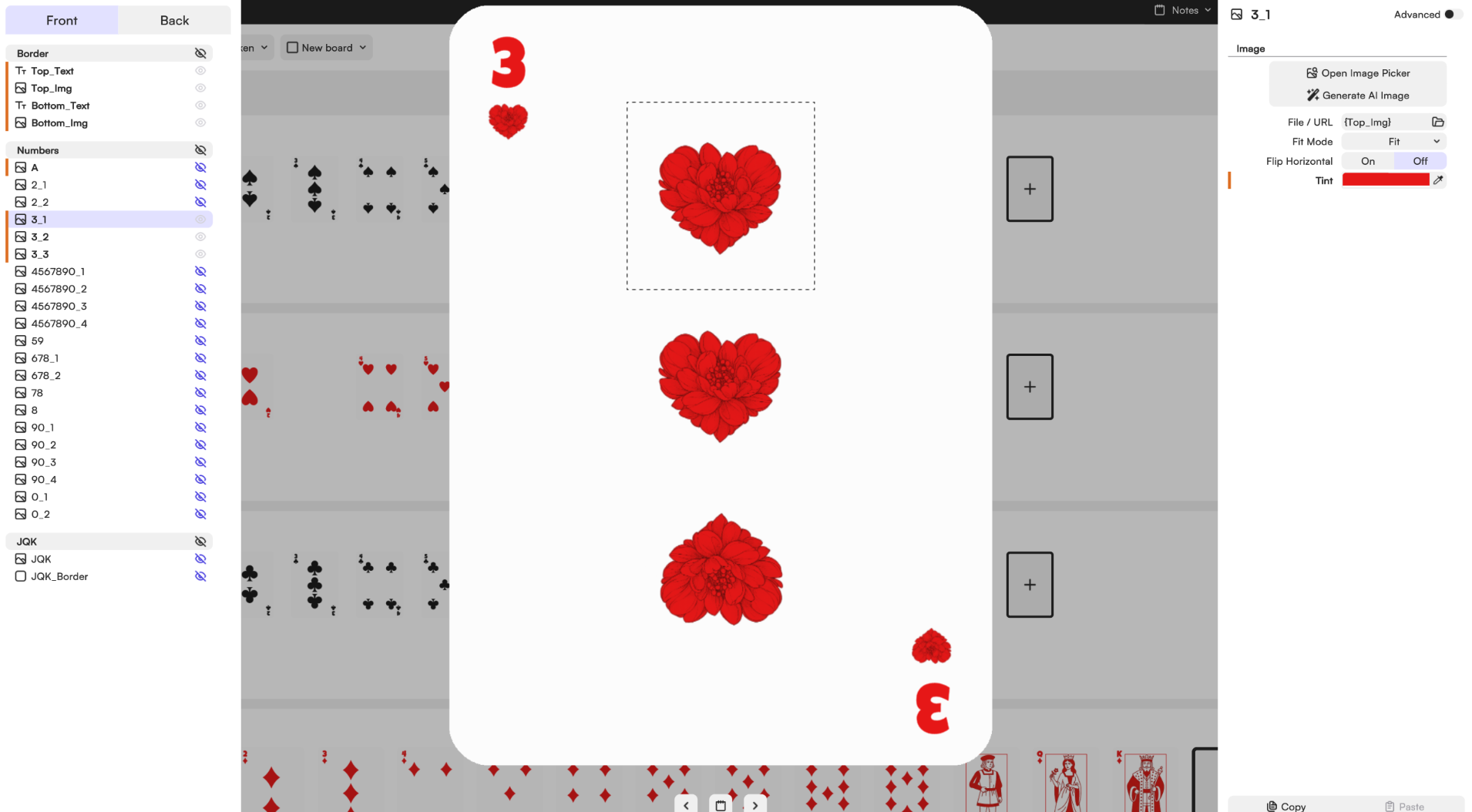
Open any numbered card and locate the first suit image — the icon placed directly below the number in the top-left corner.
Replace that image with any symbol, illustration, or icon you like.
As soon as you do, you’ll notice that all the other suit symbols across the deck update automatically and use the same image.
This works because every suit position is linked to the same image source, allowing you to redesign the entire deck by editing a single element.
And just like that, your entire deck gets a brand new look.
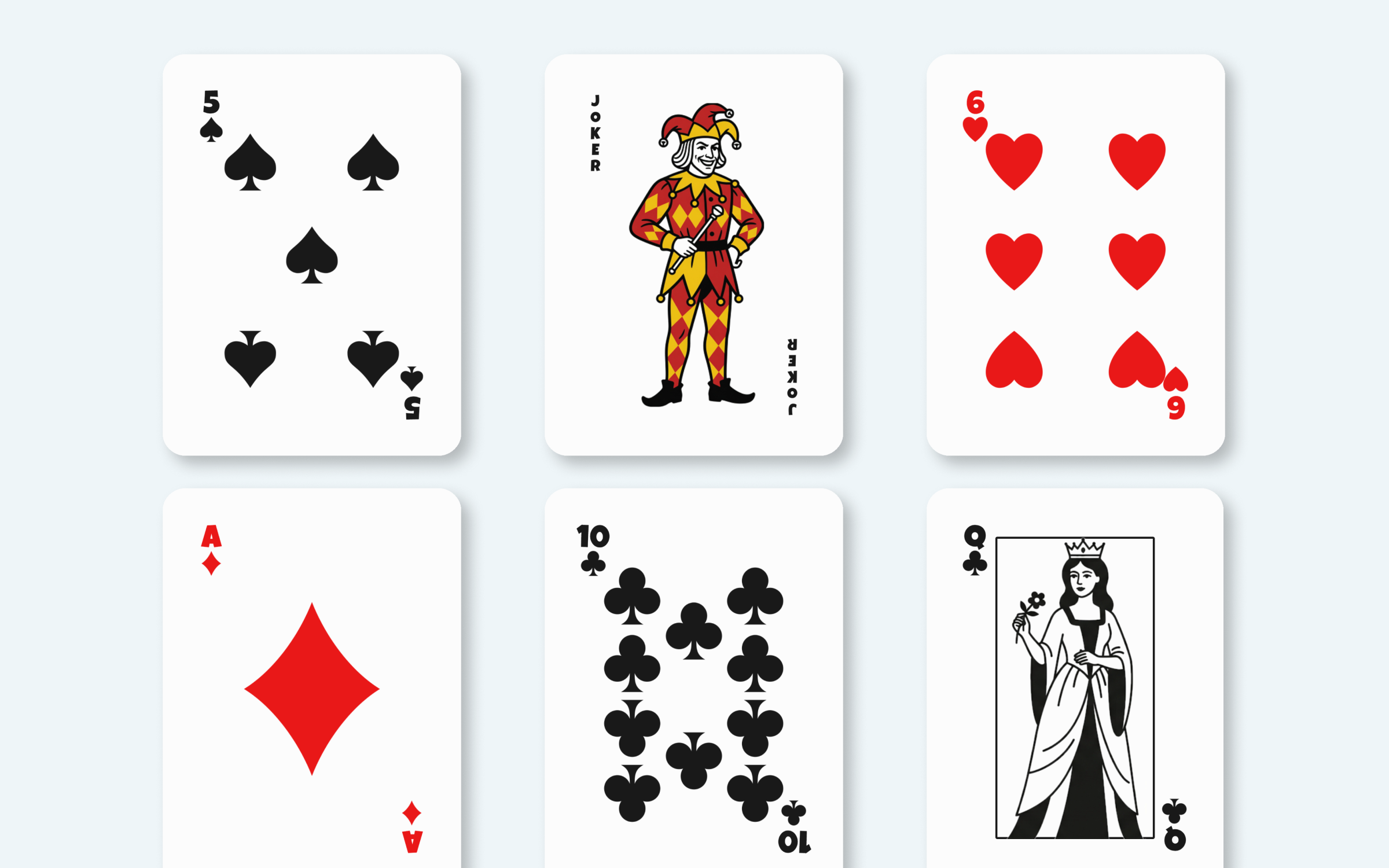
In this set, you’ll find the traditional composition of a poker deck: 52 playing cards divided into the four classic suits: Hearts, Diamonds, Clubs and Spades, alongside face cards, aces and optional jokers or special cards (+2 jokers make the how set 54 cards).
Each card follows the iconic structure that made French playing cards one of the most recognizable game systems in the world: corner values, suit symbols, mirrored layouts and the classic red-and-black color palette that has remained almost unchanged for centuries.
Managing 54 individual cards — each with its own suit, value, face art and back design — can get complicated fast. Tabletop Creator handles that complexity for you.
The layer-based editor lets you build a card structure once and apply it across the entire deck. Change the color scheme, swap the suit symbols, drop in your own artwork or generate visuals directly with the built-in AI tool. Everything updates consistently, so you’re not redoing the same tweak fifty-four times.
Consistency is the hardest part of designing a full deck by hand. With Tabletop Creator, you can build reusable blueprints for each card type — number cards, face cards, jokers and backs — and keep fonts, colors, symbols and layouts locked in across all of them while still customizing each card individually.
Need to update all the card backs at once? Change one, update all. Want to swap the suit icons across the whole deck? Done in seconds. You can even import card data from a spreadsheet to organize names, values or any custom attributes automatically.
A custom poker deck doesn’t have to mean just swapping the card backs. Some of the most interesting projects go much further than that, and once you start exploring the possibilities, it’s hard to stop.
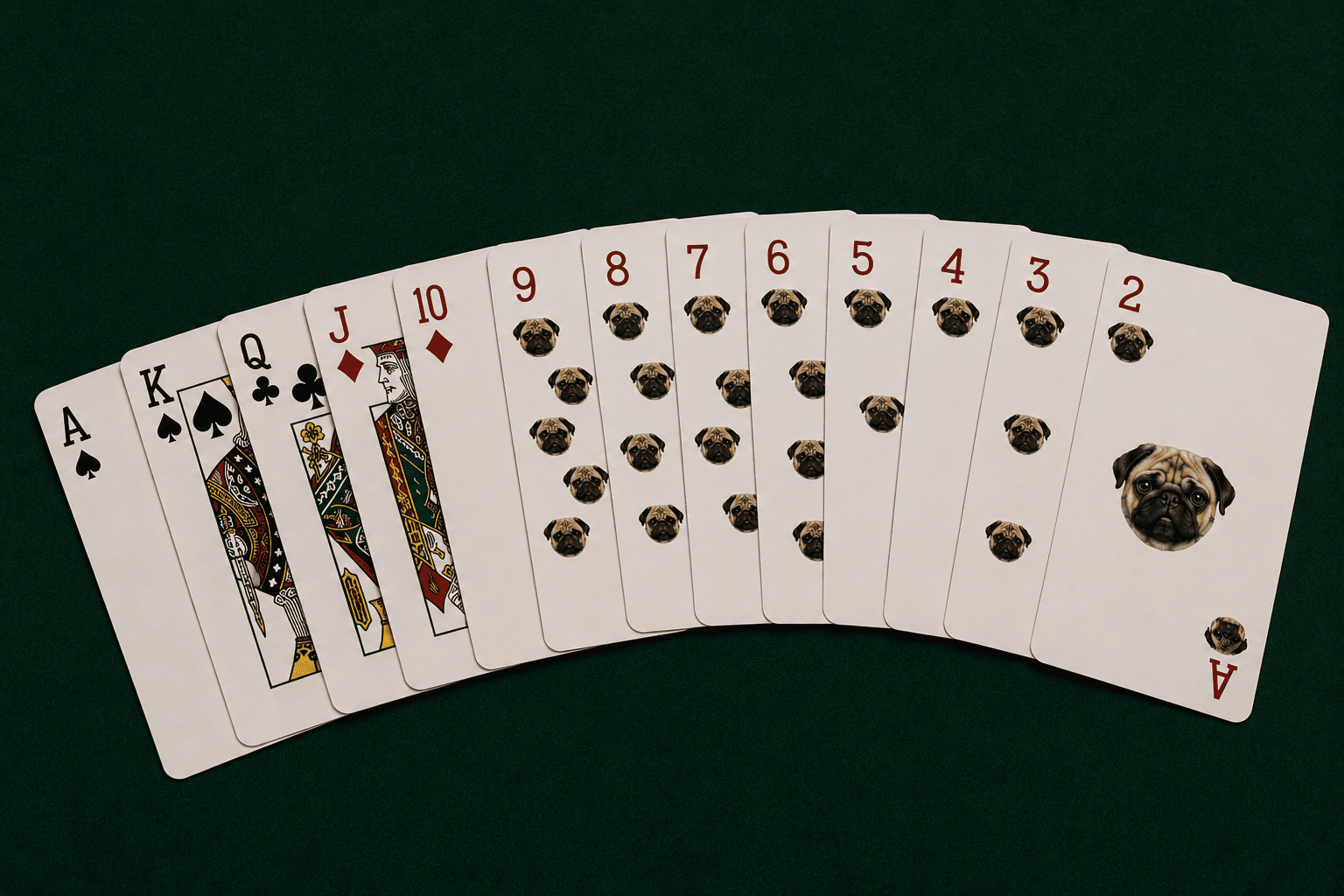
One of the most popular ideas is replacing the classic suits with something personal. Instead of hearts, spades, clubs and diamonds, you can design your own symbols: a favorite icon, a logo, an inside joke, or anything that means something to the people who’ll be playing with that deck. And yes, plenty of people have replaced the ace of hearts with a photo of their partner. Technically it’s still a diamond. Technically.
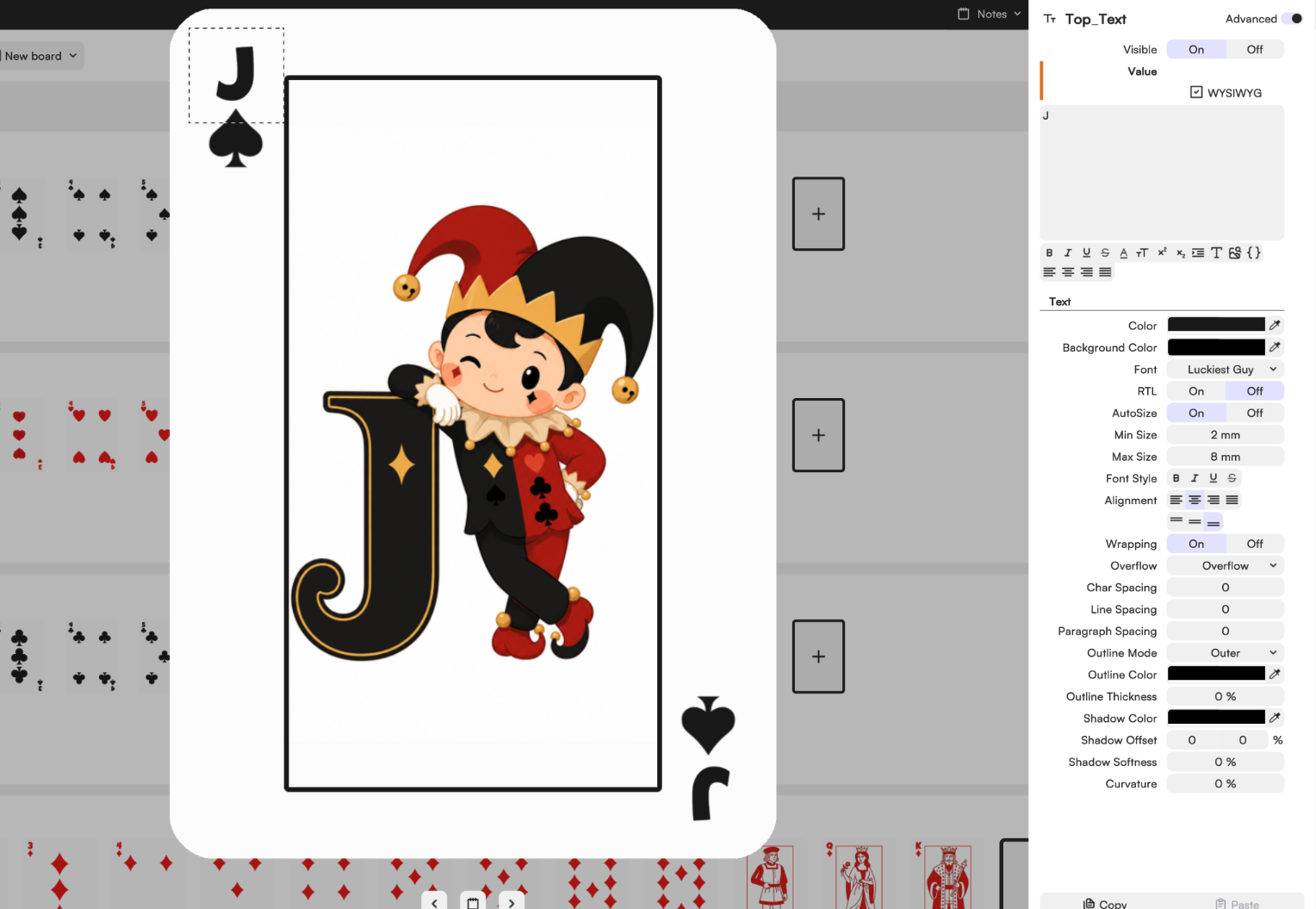
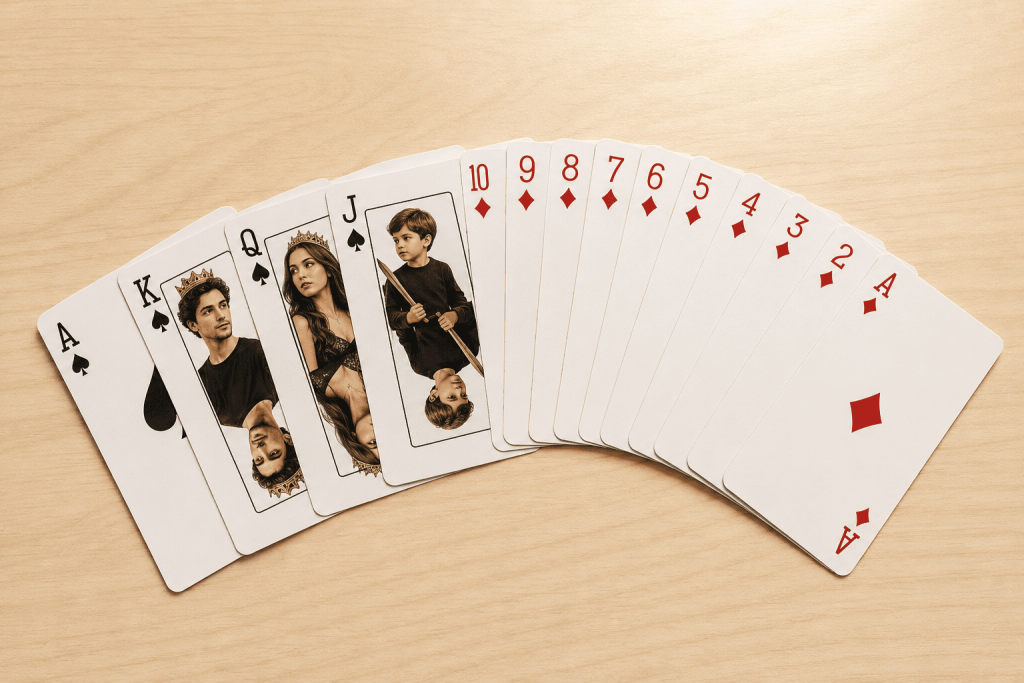
Face cards are another obvious target. The King, Queen and Jack have looked more or less the same for centuries, which makes them a perfect canvas. Put your friends on them, your pets, your favorite characters, or just a completely original illustration. It’s one of those details that makes people stop mid-game just to look at the card.
Here’s something a lot of people overlook: a custom card back is one of the most cost-effective branded items you can produce. A deck of cards with your company logo, brand colors or a campaign visual is something people actually keep and use — unlike most promotional merchandise that ends up in a drawer.
It works particularly well for restaurants and bars (great conversation starter on the table), hospitality businesses, corporate events and team gifts, product launches and brand activations, and small businesses looking for something more memorable than a business card. The beauty of only customizing the back is that the deck stays fully playable with standard rules, so it actually gets used rather than just displayed.
There’s a whole world of cardists and magicians who take custom decks extremely seriously. Cardistry — the art of manipulating playing cards as a visual performance — has exploded as a discipline, and practitioners almost universally design decks that reflect their personal aesthetic. Clean geometric backs, bold color contrasts, minimalist suits — every visual decision is intentional because the cards are part of the performance.
The same goes for magicians who build a personal brand around their act. A deck with your name, your color palette and your visual identity becomes part of the show before a single card is touched. Illustrators and artists also use custom poker decks as a portfolio piece or limited-edition product — the format is familiar enough that people immediately understand what it is, which makes it easy to sell or gift.
The standard poker card size is 2.5 × 3.5 inches (63 × 88 mm). It’s the format every print shop in the world knows, accepts and prints without asking questions.
Tabletop Creator works at any size you need — standard or not. Smaller cards for travel decks or magic effects, larger ones for demo or stage formats. You pick the dimensions, design within them, and export files that are ready to send straight to any printer.
This is where most DIY projects fall apart — and where Tabletop Creator saves you the headache. The export settings let you configure bleed (typically 3 mm per side), cut marks, resolution (300 DPI, as any printer will require) and color layout for front, back or both. You get a clean, professional file ready to upload to any print shop or card manufacturer — no Photoshop, no Illustrator, no back-and-forth with the printer asking you to fix the files.
Design it, export it, send it. That’s the whole process.
Create your own board game, make your dreams come true, and ruin your friends’ patience. With Tabletop Creator you’ll have the essential tools to do it easily.