
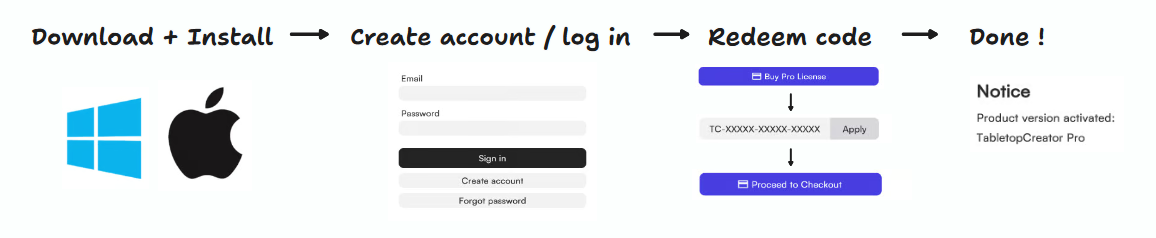
💻 You can redeem your coupon on a desktop computer (PC or Mac). Phones and tablets aren’t supported yet, but they will be soon! 💻
- Download the app:
- https://tabletop-creator.com/download/ (Choose the version for Windows or MacOS)
- Install and launch the application
- Windows: Unzip the downloaded zip file and run TabletopCreatorLauncher.exe (make sure you have write permissions in the folder where you extracted the files).
- MacOS: Install the app normally, like any other macOS application, and then open it.
- Create an account or log in
- If you already have an account, simply log in.
- If you are new, register a new account. The app will guide you through this step.
- Important: If you just registered, you must activate your account first. You will receive an activation email. If you can’t find the email, use the “Forgot password” option in the app to complete the activation process.
- Click “Buy Pro License“
- Enter your coupon/voucher code
- Voucher codes follow this format: “TC-XXXXX-XXXXX-XXXXX“
- Click “Apply“
- You will see the price update automatically to reflect the applied discount.
- Click “Proceed to Checkout“
- Accept the confirmation message that appears
- Wait a few seconds. A new message will appear confirming that your Pro License has been successfully activated.
- If the message does not appear, restarting the app will also activate the license (this is usually not necessary).


